Field operations

Run the job from the field, not from memory.

Task trees, crew scheduling, a GPS time clock and daily reports, on the crew's phones and in the office console, with or without signal.

Field operations in ZonePillar

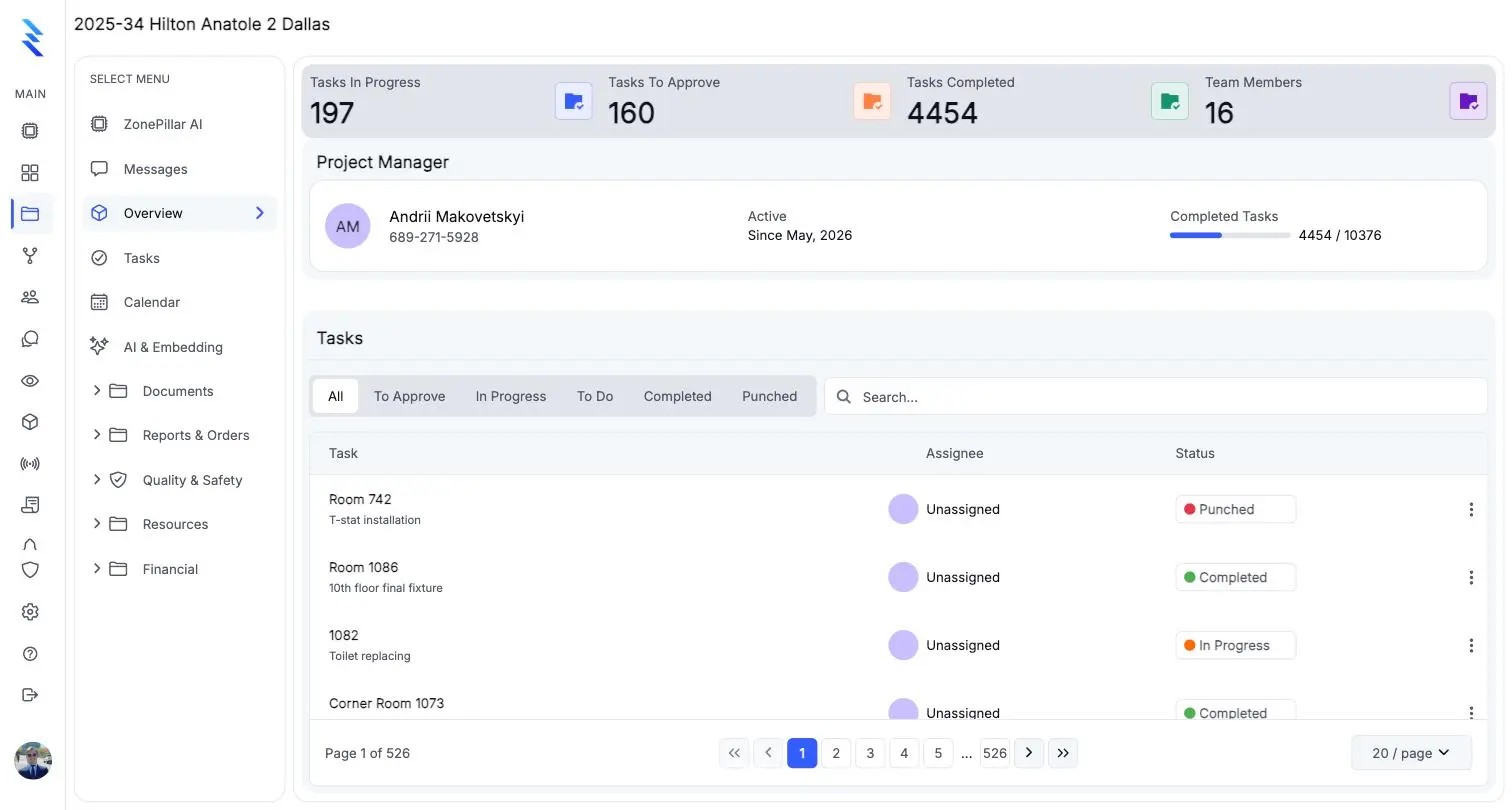
Projects and task trees

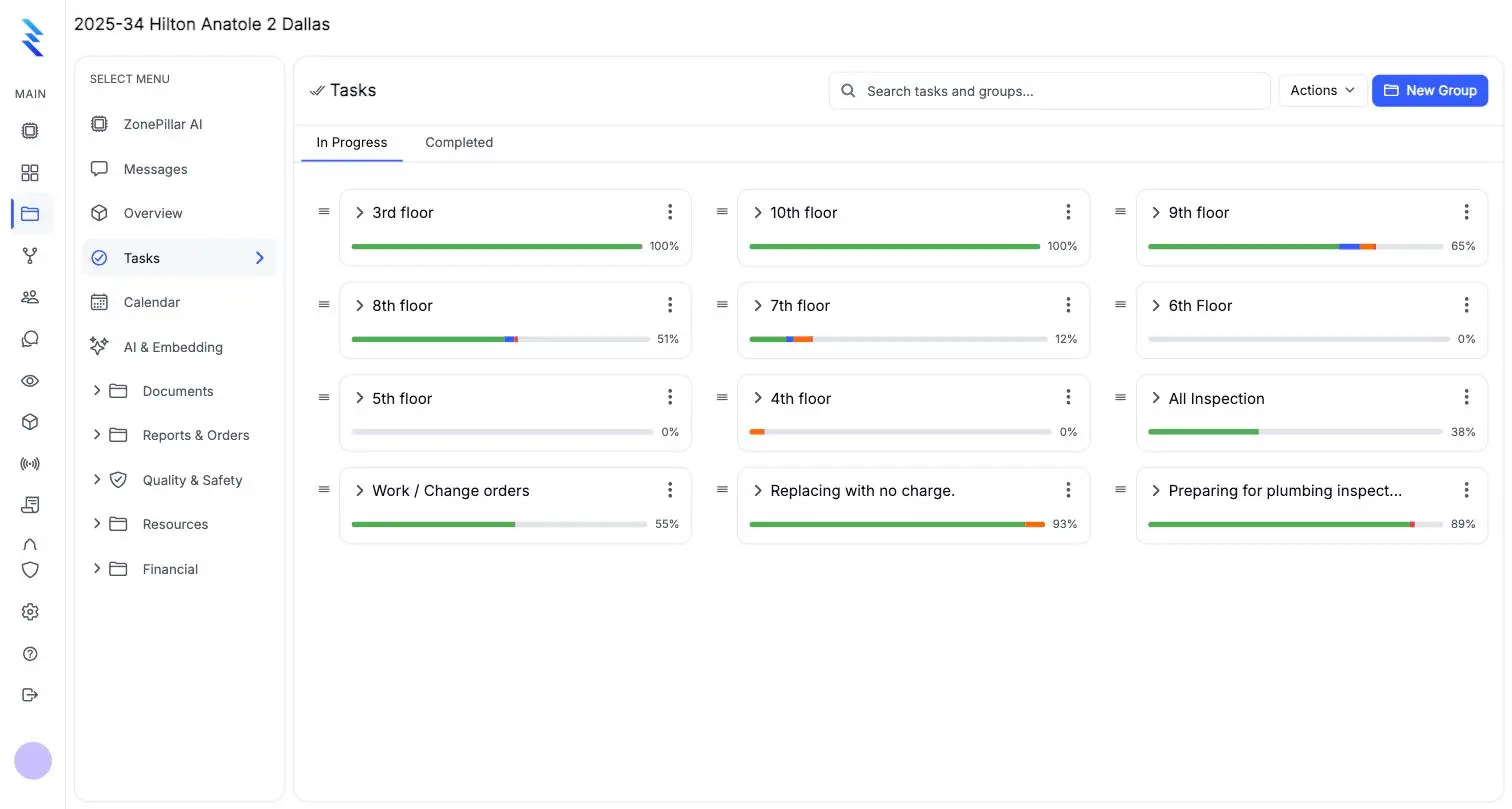
Break a job into floors, rooms and tasks. Copy a whole floor and renumber it in one step, or import the list from Excel.

  • Projects & teams
  • Task trees
  • Proof of work
  • Bulk tools & Excel
  • Your own task fields
Task groups by floor with progress bars

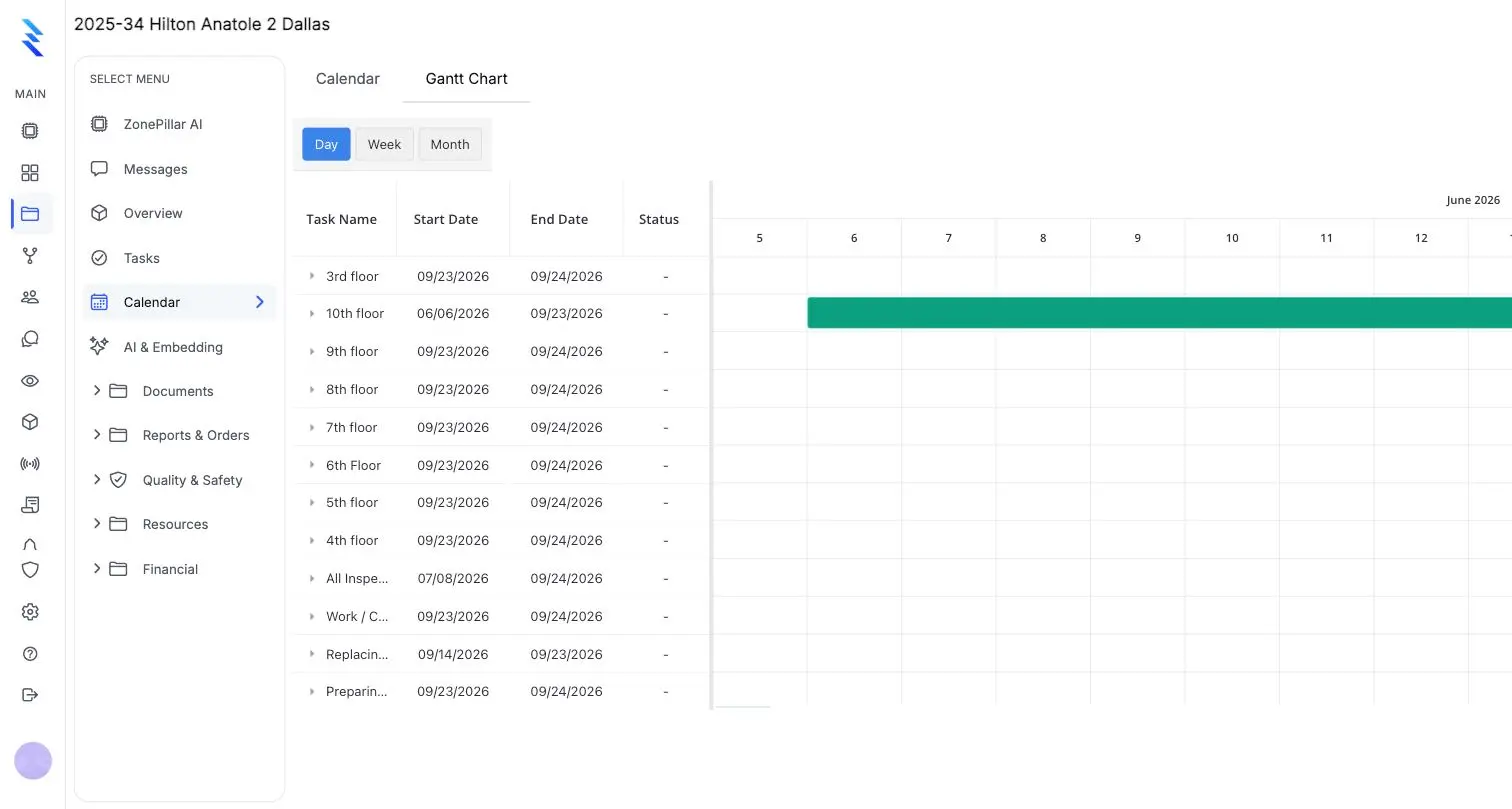
A calendar and a Gantt chart for every project

Drag to reschedule on the Gantt chart, plan the week on the calendar, and print a task history report as PDF. The dashboard rolls it up across projects: schedule health, completions, open RFIs and submittals, change orders, budget and labor hours.
  • Calendar & reports
  • Dashboard across projects
The project calendar in Gantt view

Crew scheduling the crew can see

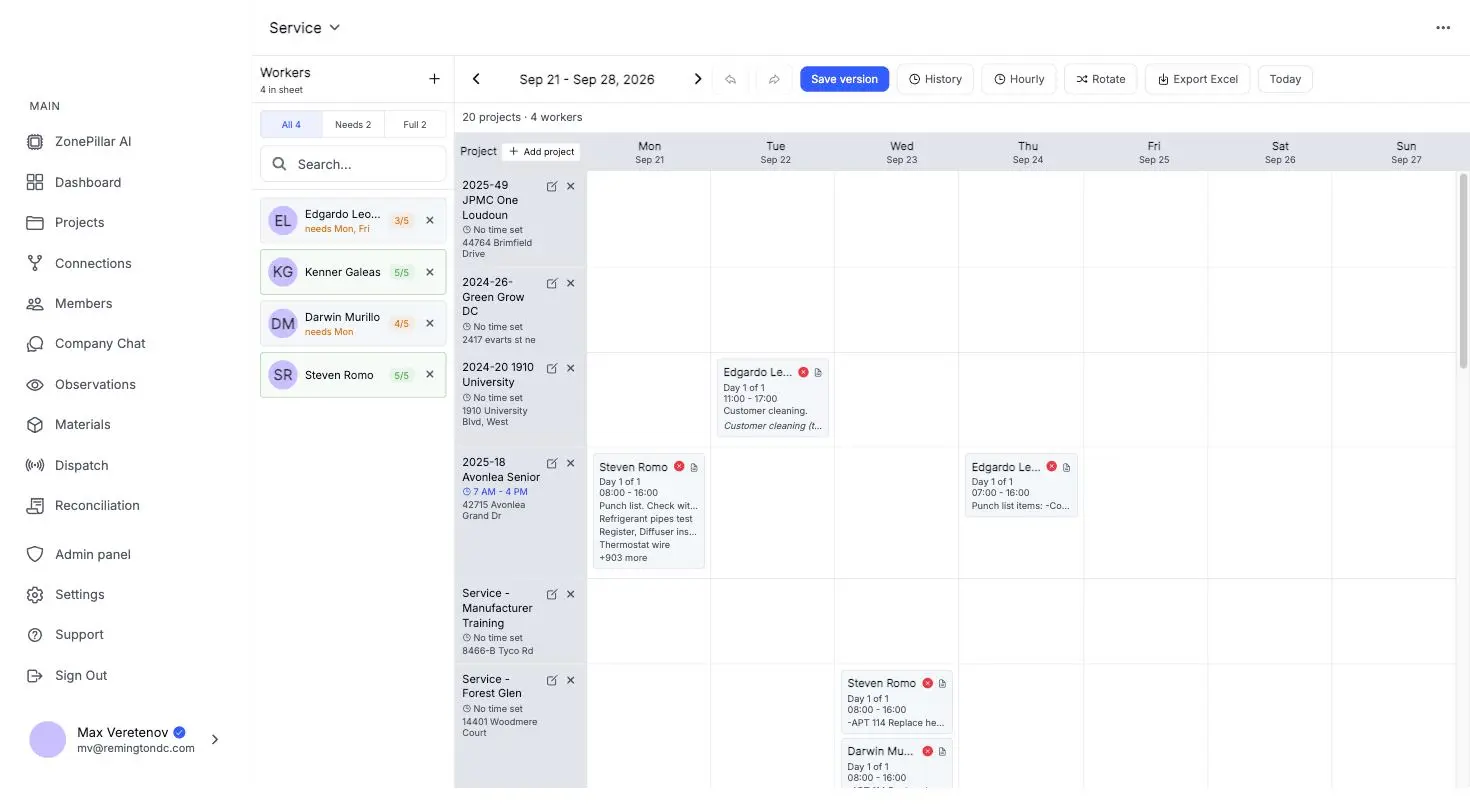
Book workers onto jobsites by day or week. Each worker sees their bookings, the site address and hours, gets a reminder before the shift, and hears when it changes.
  • Crew scheduling
  • On the crew's phone
The crew schedule for a week, workers booked onto projects by day

A GPS time clock with geofences

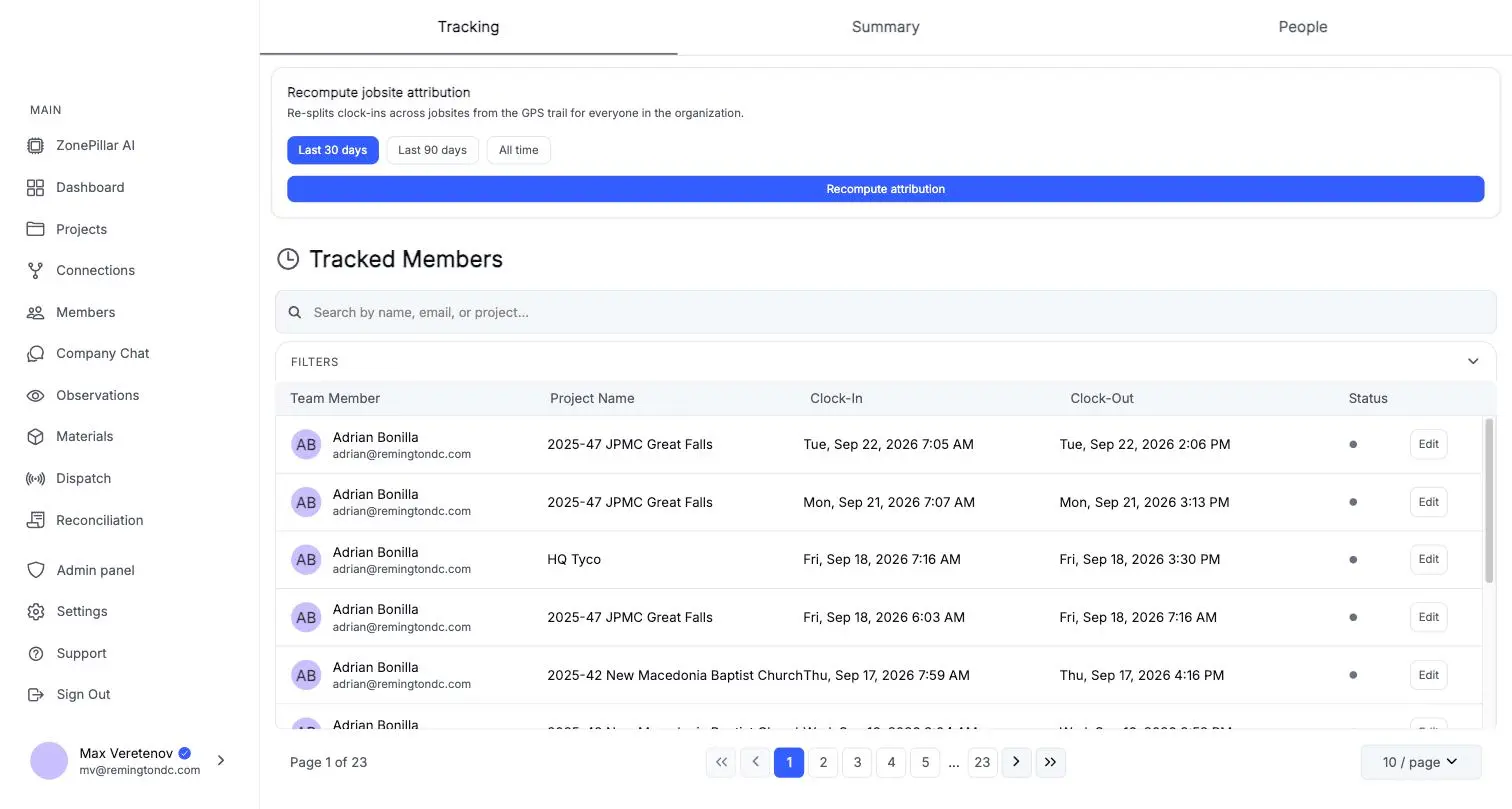
Clock in and out, take breaks and add notes, even offline. Require a location or an on-site geofence, close forgotten shifts automatically, and move hours to the right job when needed.
  • GPS time clock
  • Geofences & routes
  • Timesheets
Tracked members with clock-in and clock-out times per project

Daily reports, observations and equipment

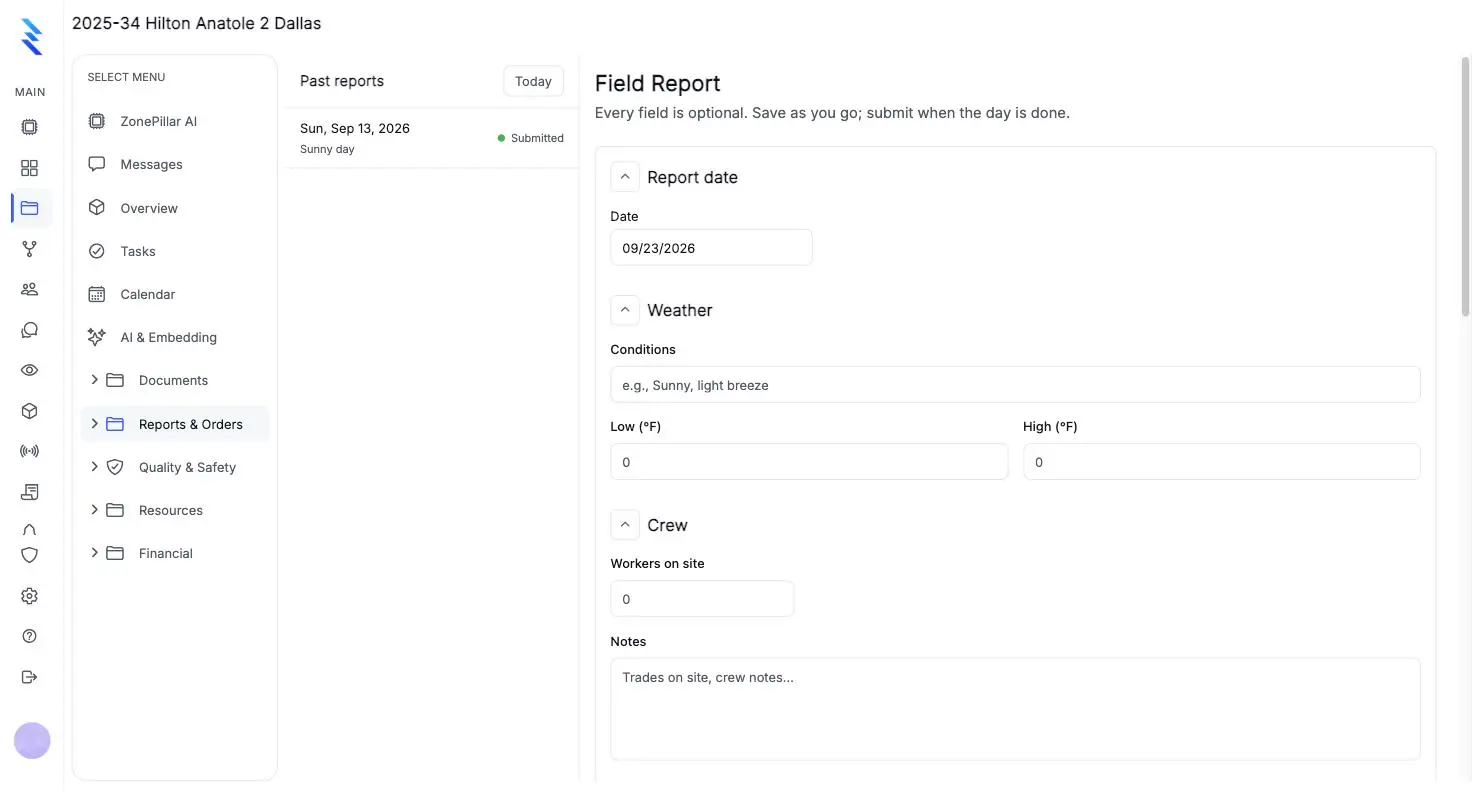
One report per project per day: weather, crew, work performed, equipment, deliveries and safety notes, with photos. Submitting locks it, and a date range becomes a PDF for your GC.
  • Field reports
  • Daily report PDFs
  • Observations
  • Equipment tracking
A field report form with date, weather and crew sections

Chat, voice and language

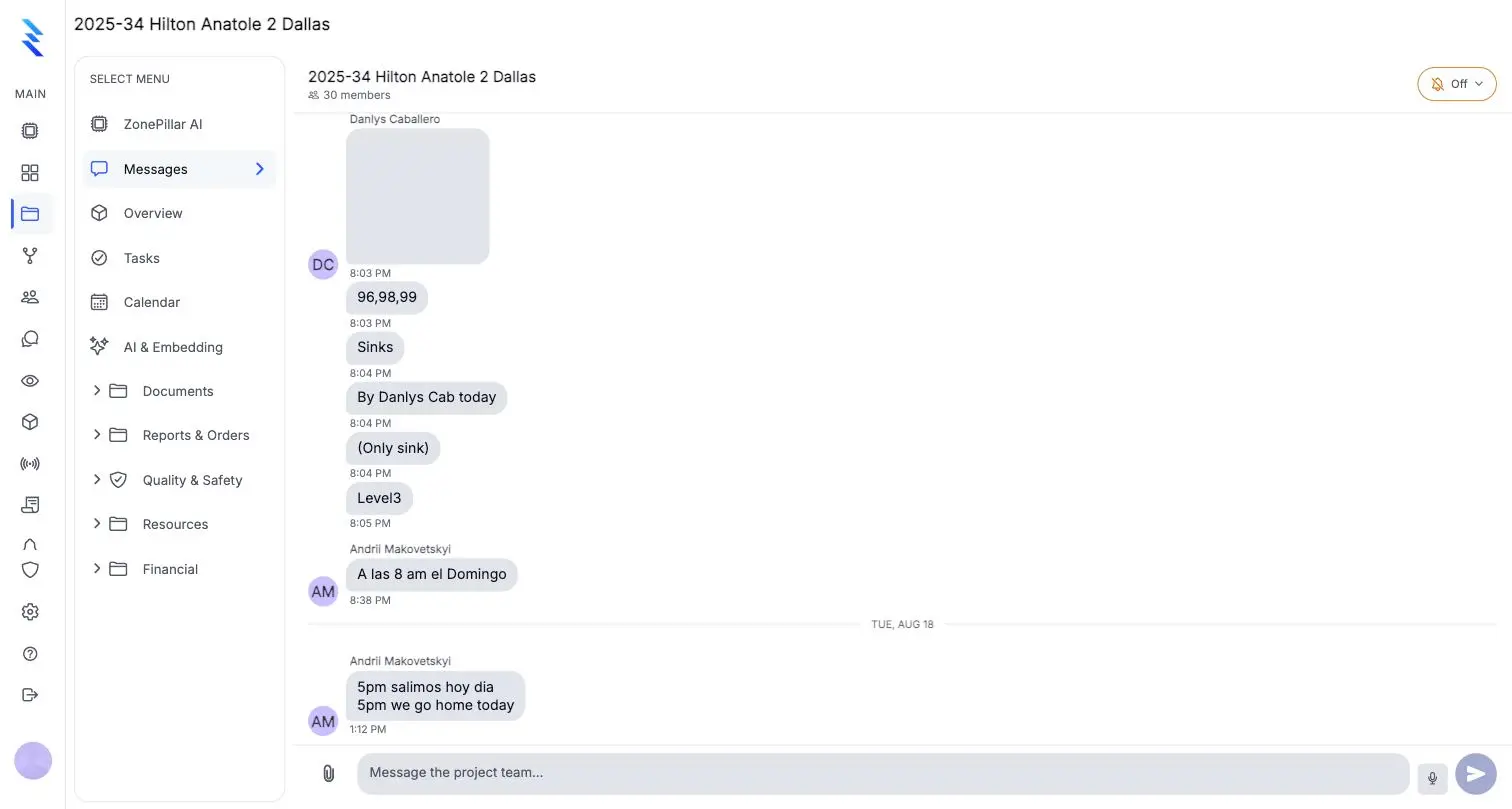
A room for every project and one for the whole company, with photos, PDFs, mentions and reactions. Dictate into notes and forms, and read tasks in Spanish or Russian.
  • Chat
  • Voice & language
A project chat room with crew messages

Everything in field operations

Projects & teams
Create projects with address and manager, build the team, and see progress at a glance.
Task trees
Organize work by floor, room or area.
Proof of work
Crews update status, add notes and attach photos from the field.
Bulk tools & Excel
Assign many tasks at once, import a task list from Excel, and export the board to Excel.
Calendar & reports
A Gantt chart with drag-to-reschedule, a weekly calendar, a task history report as PDF, and activity exports.
Dashboard across projects
Schedule health, completions, open RFIs and submittals, change orders, budget and labor hours on one screen.
Crew scheduling
Book workers onto jobsites by day or week, plan by project or by person, save versions, and export the week to Excel.
On the crew's phone
Workers see their bookings, site address and hours, get a reminder before each shift, and are told when their schedule changes.
GPS time clock
Clock in and out, take breaks and add notes, even offline.
Geofences & routes
Draw geofences around jobsites, see each worker's route and time on site, and move hours to the right job when needed.
Timesheets
Review timecards by pay period, add or correct entries, and set your pay cycle.
Field reports
One report per project per day: weather, crew, work performed, equipment, deliveries and safety notes, with photos.
Daily report PDFs
Turn a date range of activity into a PDF with foreman, headcount, inspections and notes, and send it straight to your GC.
Observations
Raise safety and quality issues with photos and short videos, assign several people, track replies, and export the log as PDF, Excel or CSV.
Equipment tracking
Keep an equipment log per project and record deliveries and returns, with signatures.
Chat
A room for every project and one for the whole company, with photos, PDFs, mentions and reactions.
Voice & language
Dictate into notes and forms, and read tasks and observations in Spanish or Russian.
Your own task fields
Add custom fields to every task: text, numbers, dates, yes/no or pick lists.

See it on one of your own projects.

Bring a job you know well, its drawings, its crew and its paperwork, and see it in ZonePillar.

Decorative grid background

Ready to Transform Your Construction Management?

Book a walkthrough with our team. We set up your first project with you and train your crew to run it.

Copyright © 2026 ZonePillar, All Rights Reserved