
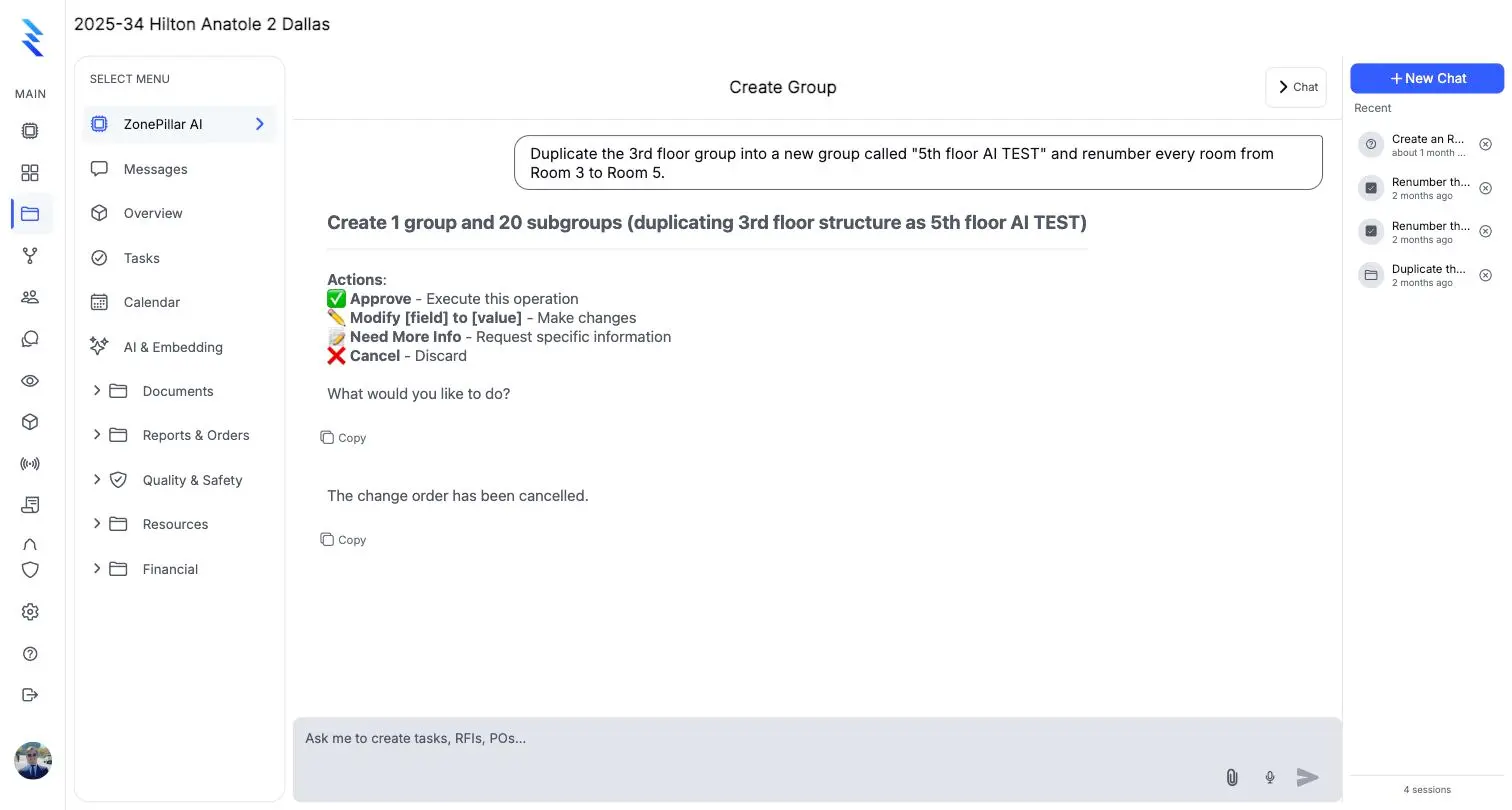
Answer, count and total
Open RFIs, latest submittals, what a record says, who changed it and when. Counts, totals and breakdowns laid out as tables, with each figure traced to a record.
- Answer
- Count & total
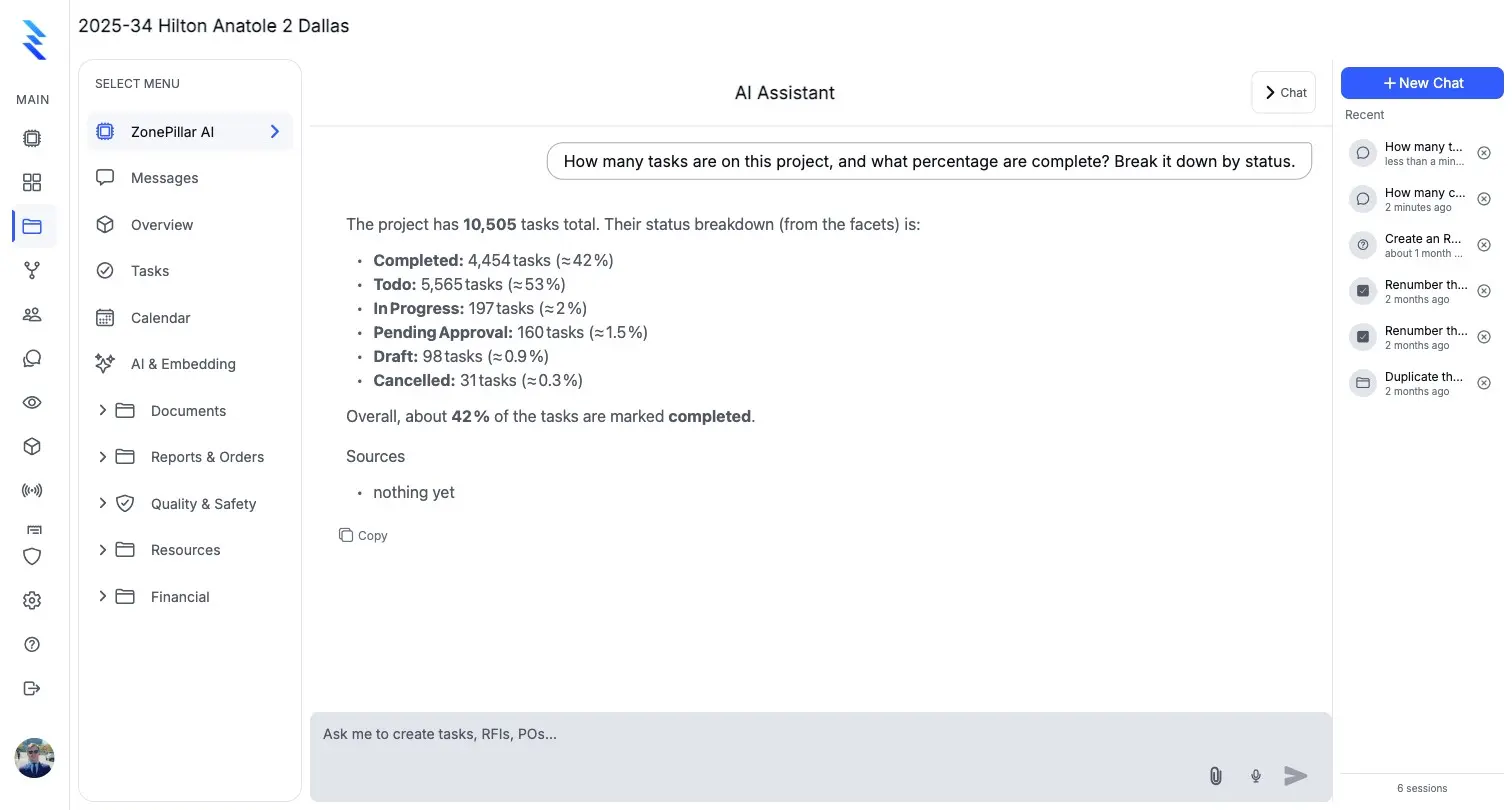
Anything the AI wants to create or change appears as an approval card showing exactly what will be written.
Every answer links back to the RFIs, orders, tasks and drawing sheets it came from, so anyone can check it.
When a required detail is missing, such as an RFI number or a vendor, it asks for it rather than making one up.
Open RFIs, latest submittals, what a record says, who changed it and when. Counts, totals and breakdowns laid out as tables, with each figure traced to a record.
Sheets, rooms, equipment tags and the details a callout points to. Task groups and tasks by floor and room from the drawings, and a floor copied and renumbered in one request.
Plan set, Rev 3
Which sheet has the exhaust fan schedule?
M1.0 Mechanical schedule. The exhaust fan schedule lists EF-1 through EF-6 with CFM, static pressure and the rooms they serve.
SourcesM1.0 Mechanical schedule
RFIs, submittals, change orders, work orders, purchase orders, observations and daily reports drafted for your review. Public facts, like manufacturer data or code requirements, come from the web with the source cited.
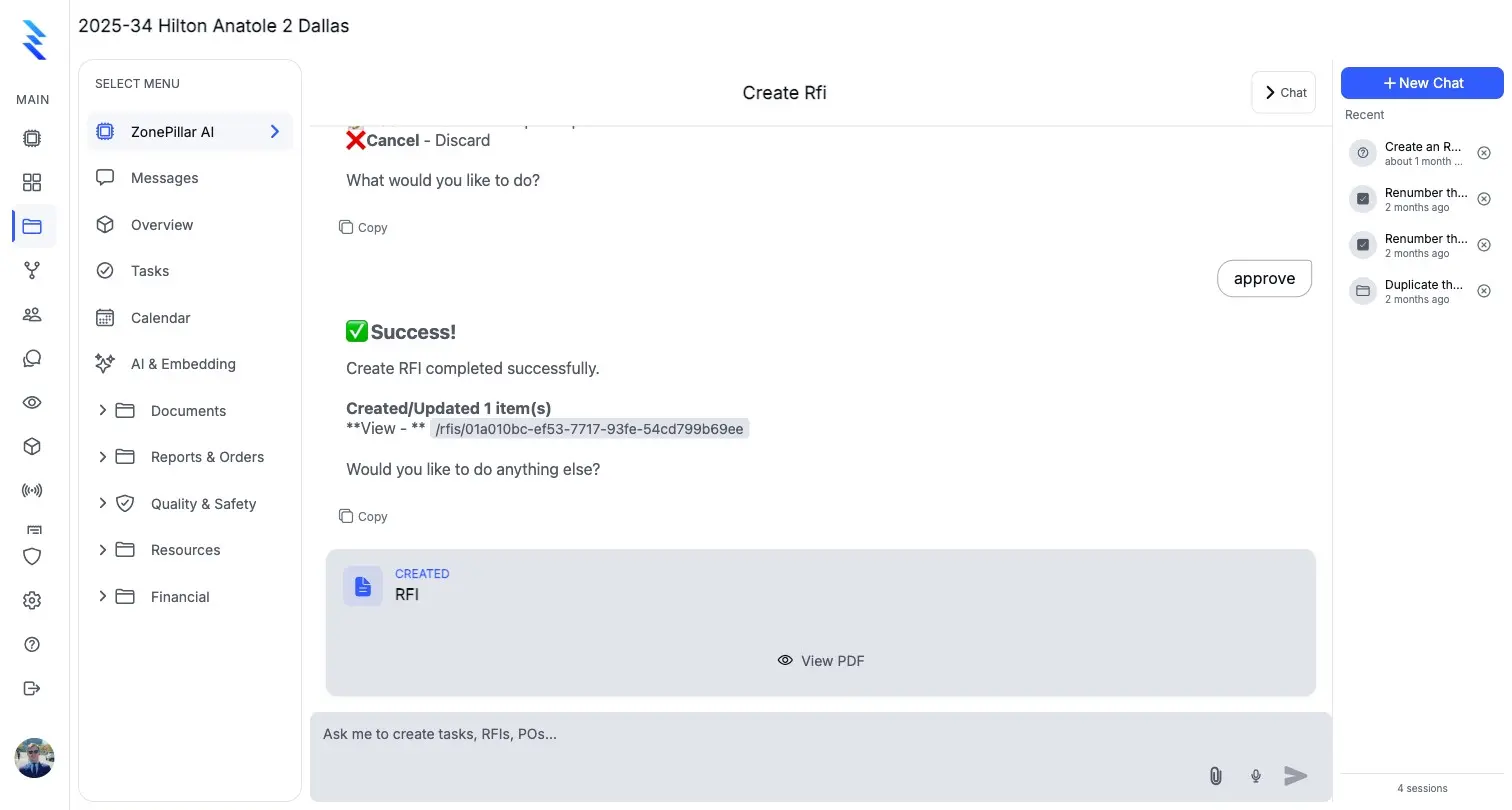
Each area has its own page. The same record runs through all of them.
The work, the crew and the hours.
Explore 18 featuresEvery record, one place, ready to send.
Explore 9 featuresConnect the field to the money.
Explore 9 featuresCompanies connect on ZonePillar and work from the same information. Each company keeps its own data and chooses what to share.
Explore 6 featuresSensible defaults, then control per person.
Explore 6 features
Book a walkthrough with our team. We set up your first project with you and train your crew to run it.
Copyright © 2026 ZonePillar, All Rights Reserved
