ZonePillar for general contractors

A jobsite console over the subcontractors you already work with.

Connect your subcontractors, see progress and crew on site, run submittal and RFI registers, and keep the jobsite schedule.

ZonePillar for general contractors

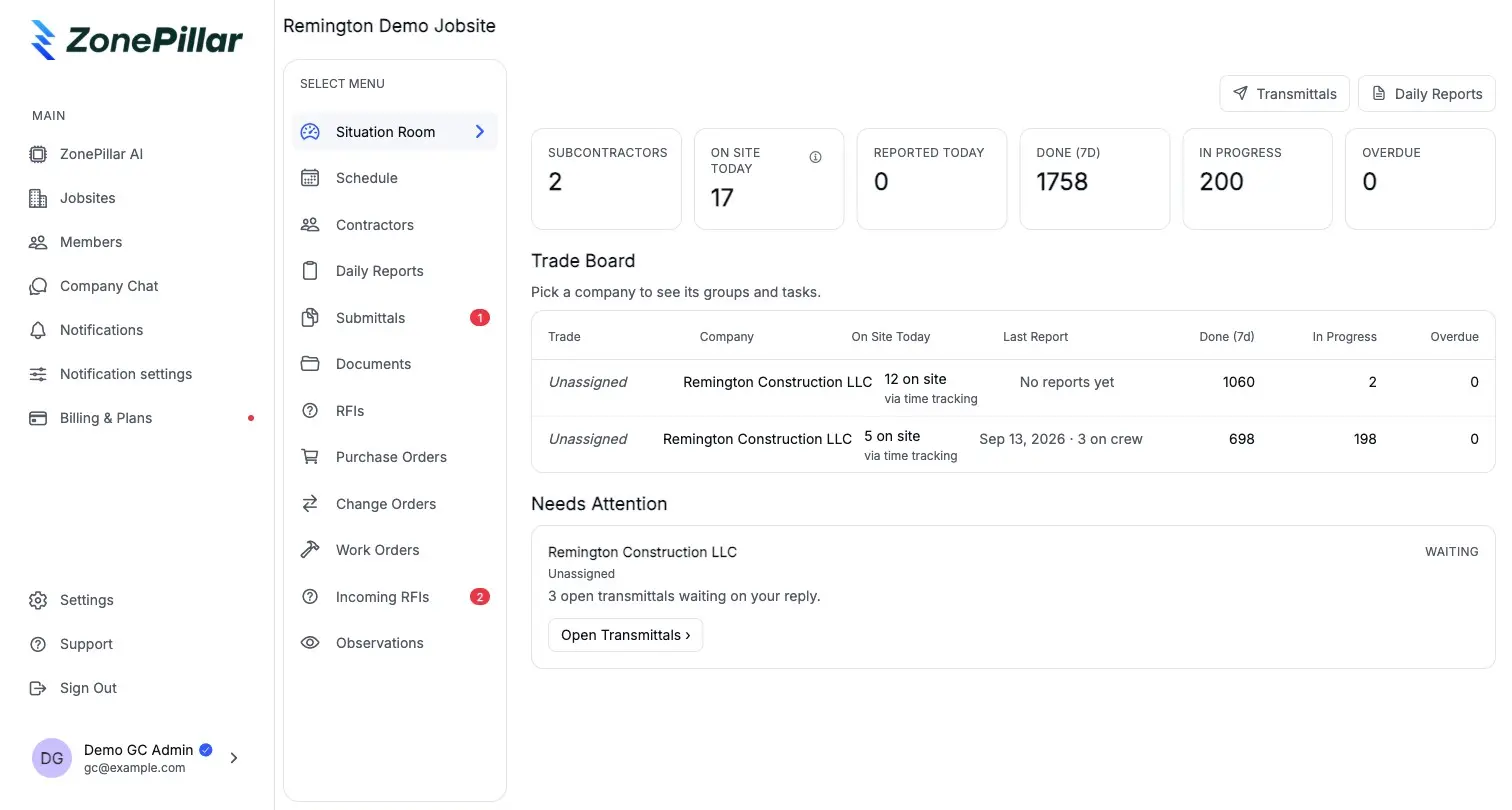
The Situation Room

For each jobsite: companies linked, crew on site today, who reported, tasks in progress and overdue, and who has gone quiet.

  • Daily reports arrive when subs submit them
  • Headcount by company, from their clock-ins
  • Quiet contractors surface before they become a problem

Contractors on site

  • Apex Mechanical

    12 on site, reported

    On track
  • Brightline Electric

    9 on site, reported

    2 overdue
  • Summit Drywall

    0 on site

    Quiet 3 days

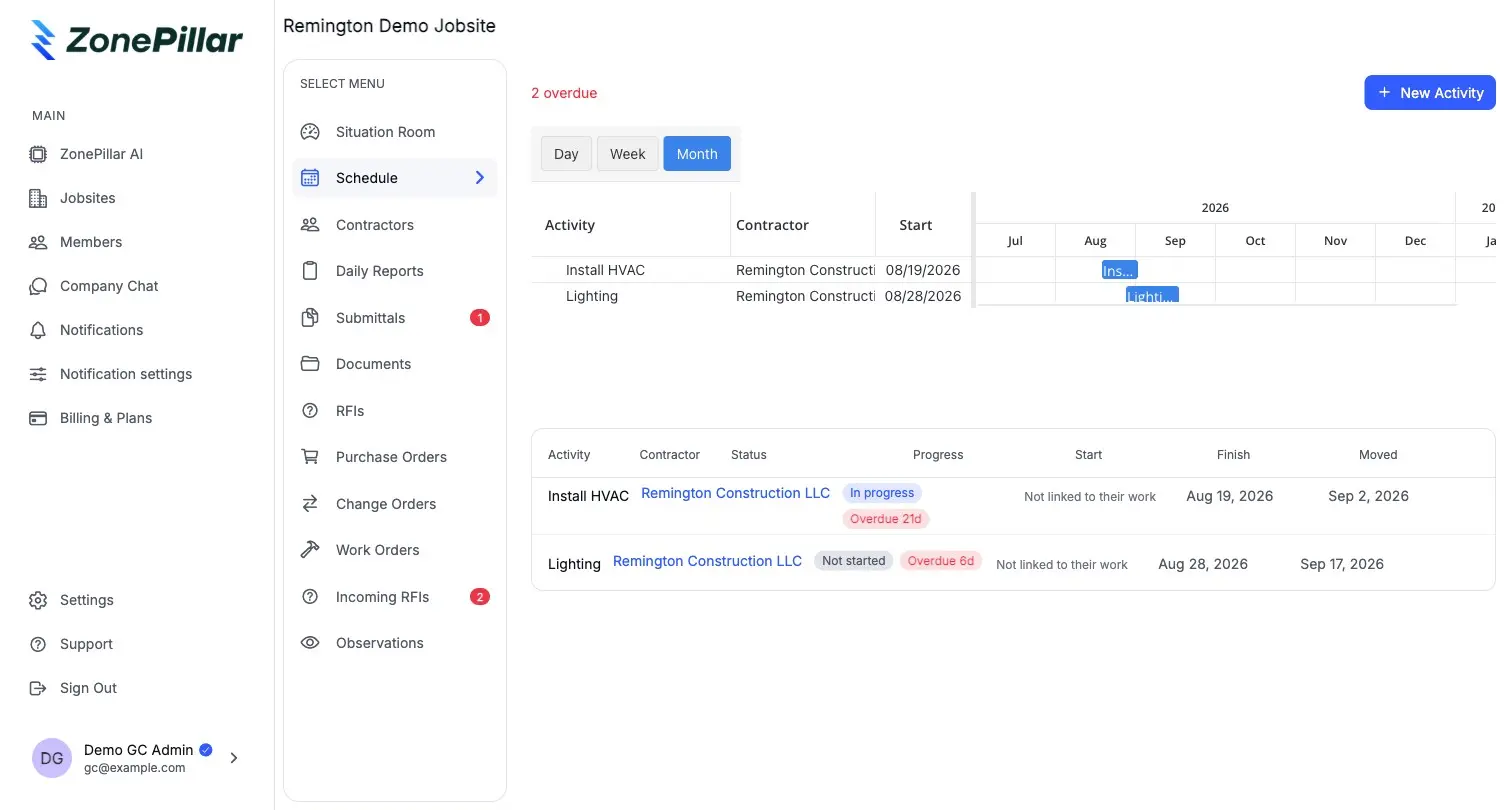
A jobsite schedule the subs keep current

Create the jobsite from an .mpp, .xer or .xml file with up to 1,000 activities. Assign activities to subs and track every slip against their task progress.

  • MS Project and Primavera P6 import
  • Activities assigned to the sub that owns them
  • Slips measured from the subs' own task boards
A GC jobsite schedule with activities assigned to a subcontractor, overdue days and a Gantt

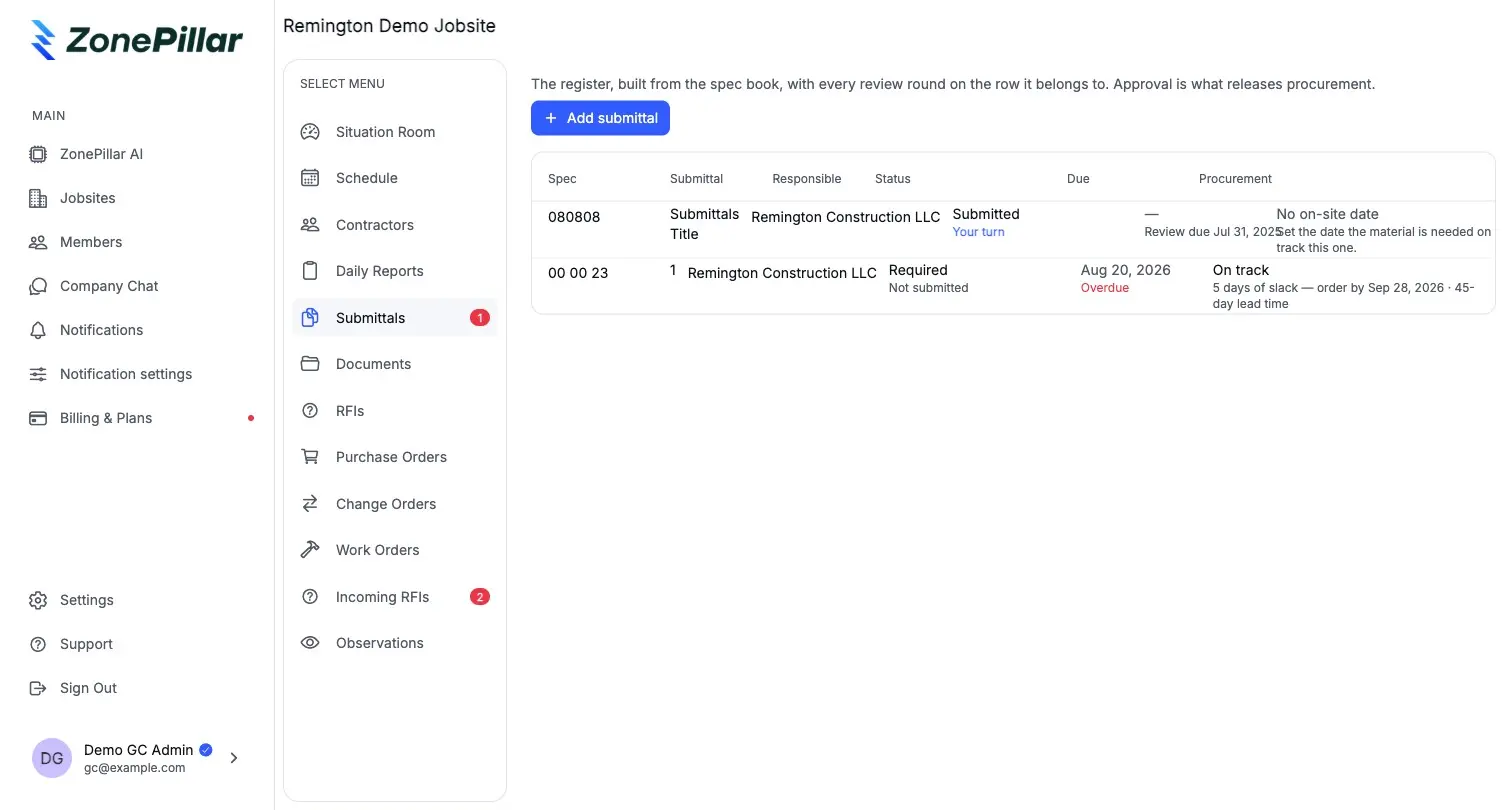
Submittal and RFI registers across every sub

Subs submit and send RFIs. You answer or route to an engineer, and the answer writes back to the sub's thread. The register shows what is blocking procurement.

  • One register per jobsite, every sub included
  • Route to an engineering firm for review and stamp
  • Export the logs as PDF, Excel or CSV
The GC submittal register with review rounds, due dates and procurement slack

See it on one of your own projects.

Bring a job you know well, its drawings, its crew and its paperwork, and see it in ZonePillar.

Decorative grid background

Ready to Transform Your Construction Management?

Book a walkthrough with our team. We set up your first project with you and train your crew to run it.

Copyright © 2026 ZonePillar, All Rights Reserved