A ClockShark alternative

Comparing ClockShark? A GPS time clock that is part of the whole job.

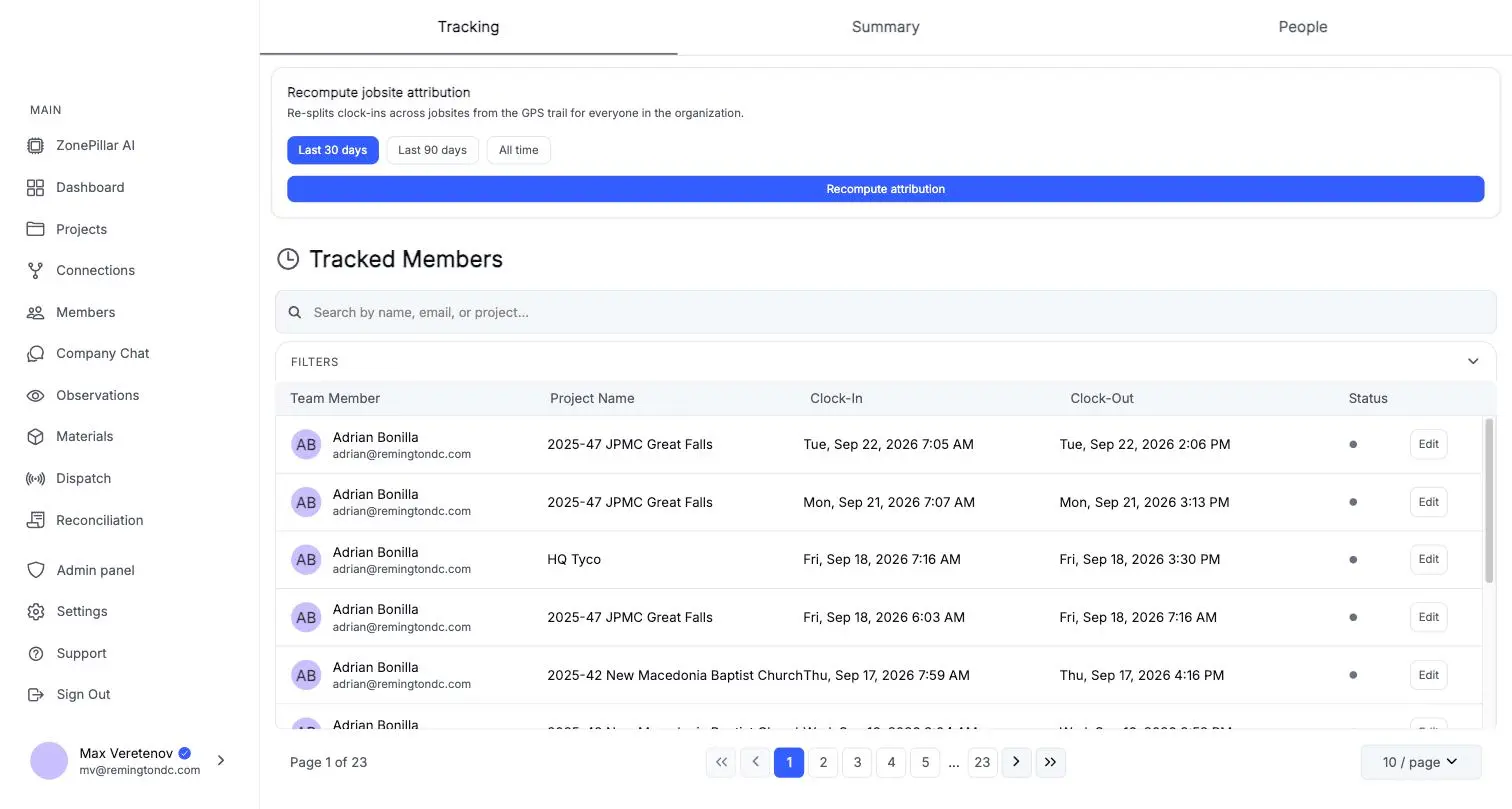
ClockShark and ZonePillar both put a GPS time clock on the crew's phones. In ZonePillar the same hours also drive crew schedules, daily reports, job costs, payroll and pay applications.

A ClockShark alternative

Questions to ask any vendor, including us

Check these against your own crews before you move. ZonePillar's answer to each is yes.

  • Can the crew clock in, take breaks and add notes with no signal?
  • Can you require an on-site geofence before a clock-in counts?
  • Can you move hours to the right job before payroll?
  • Do the same hours show up on the daily report and in job costs?
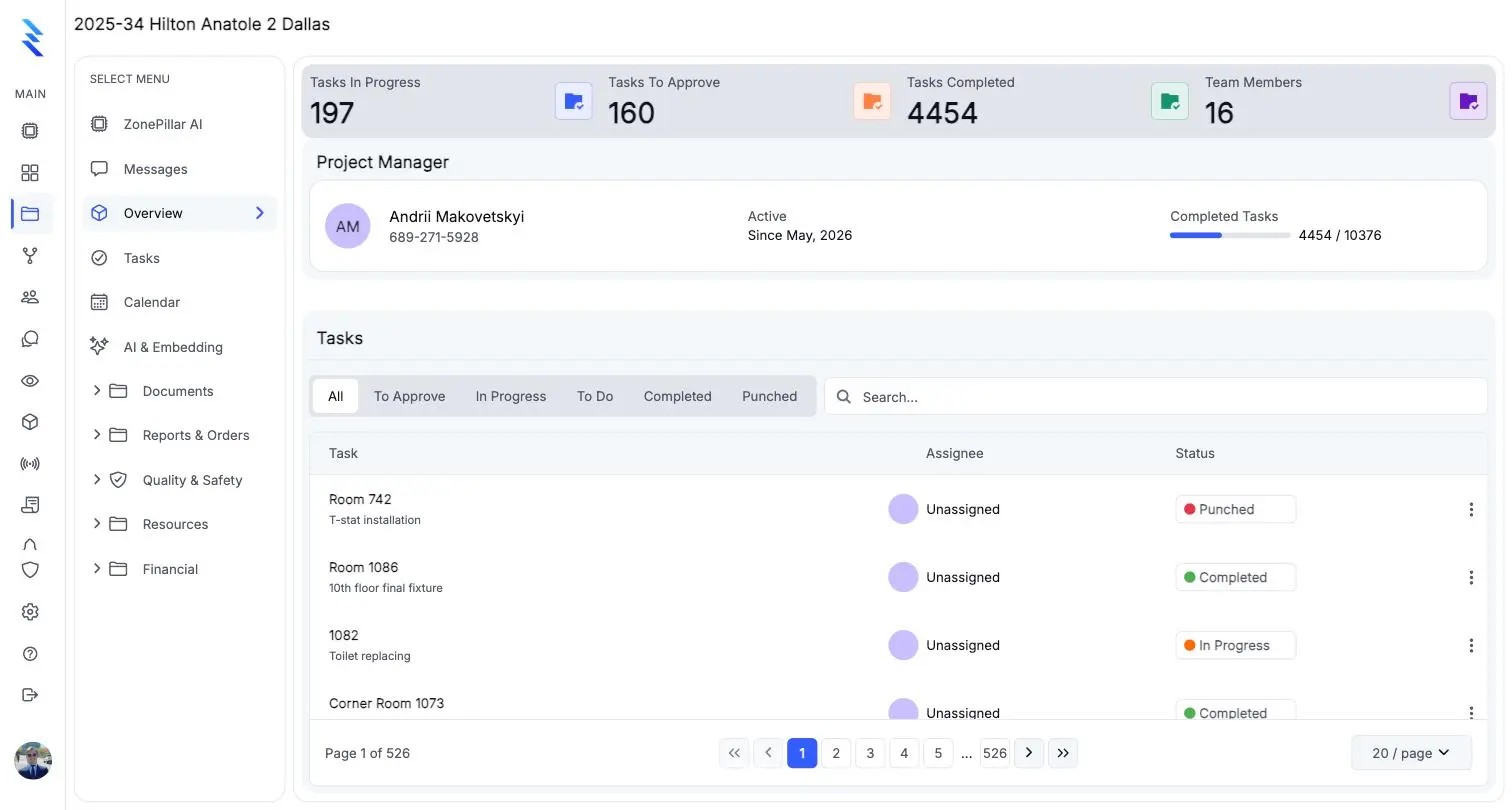
A project overview with task counts, the project manager and the task list

Scheduling and time in one place

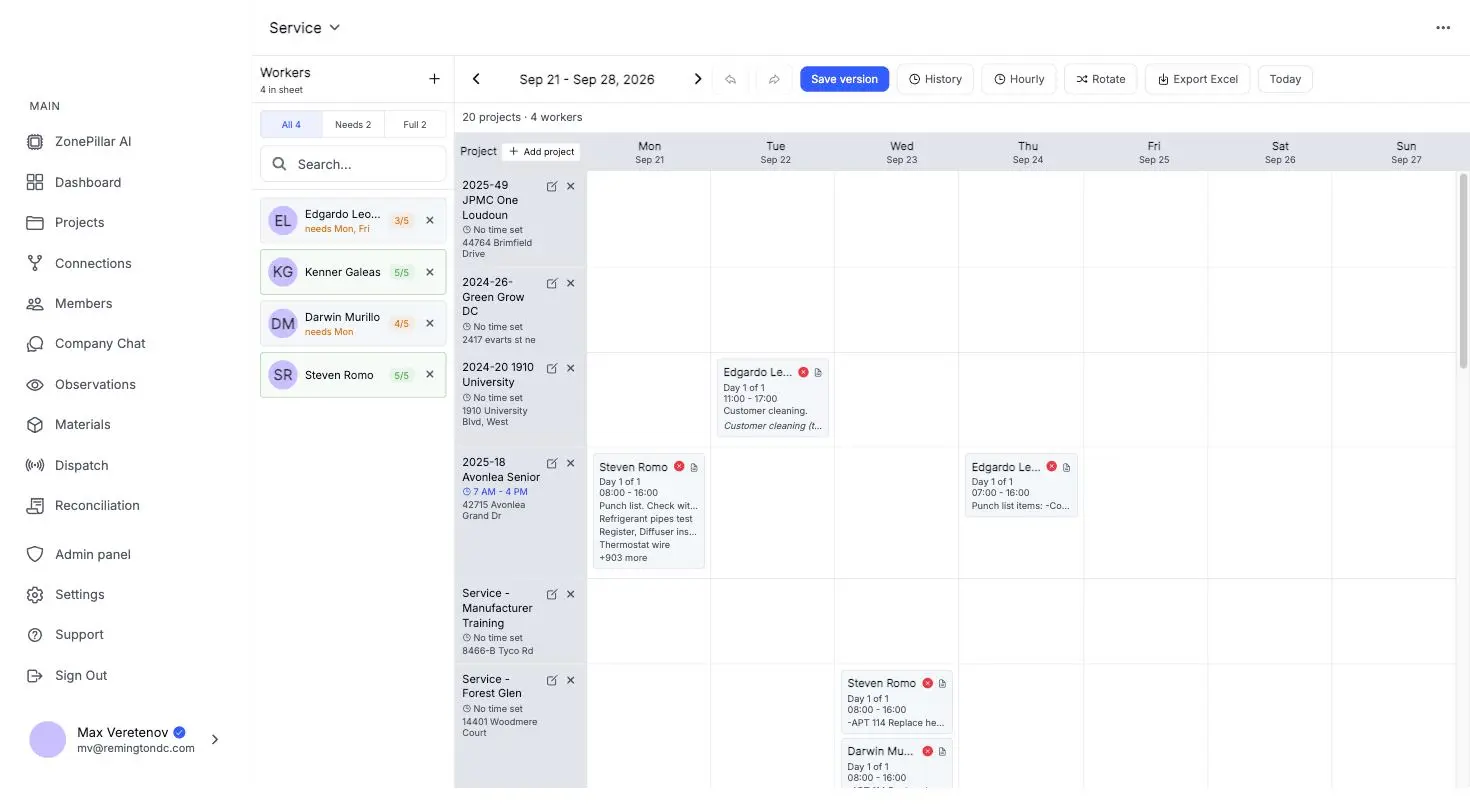
Book crews by day or week, by project or by person, and see who is on site.

  • Crew scheduling by day or week
  • Shift reminders and schedule-change alerts on the crew's phone
  • Routes and time on site per worker
The crew schedule for a week, workers booked onto projects by day

More than the timesheet

The project that holds the hours also holds the work they paid for.

  • Task trees by floor, room or area, with proof-of-work photos
  • RFIs, submittals, change orders and pay applications
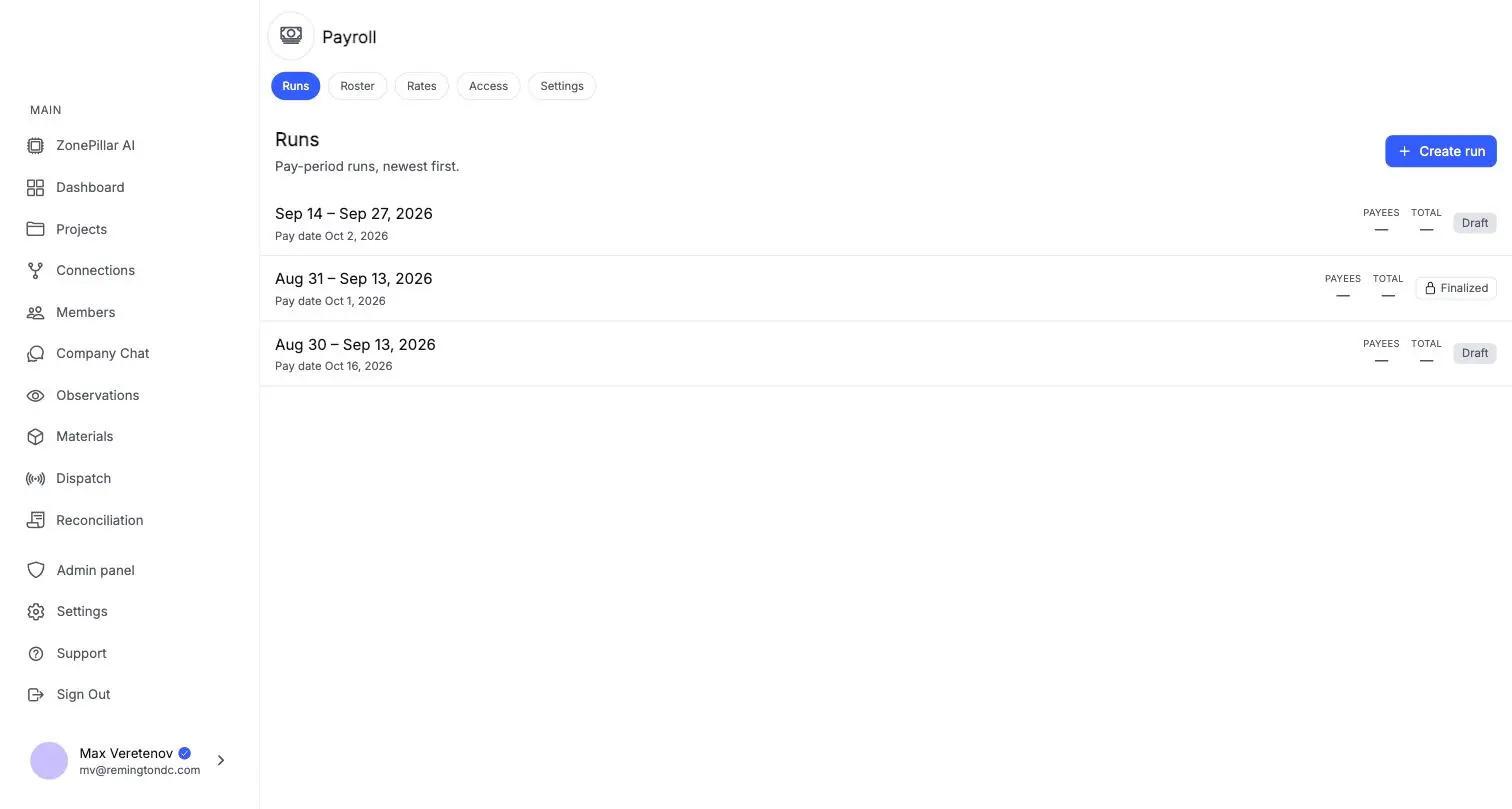
  • Payroll connection to your ADP account
Pay runs by pay period with draft and finalized states

See it on one of your own projects.

Bring a job you know well, its drawings, its crew and its paperwork, and see it in ZonePillar.

Ready to Transform Your Construction Management?

Book a walkthrough with our team. We set up your first project with you and train your crew to run it.

Copyright © 2026 ZonePillar, All Rights Reserved