A Workyard alternative

Comparing Workyard? Keep the GPS time clock and run the whole project too.

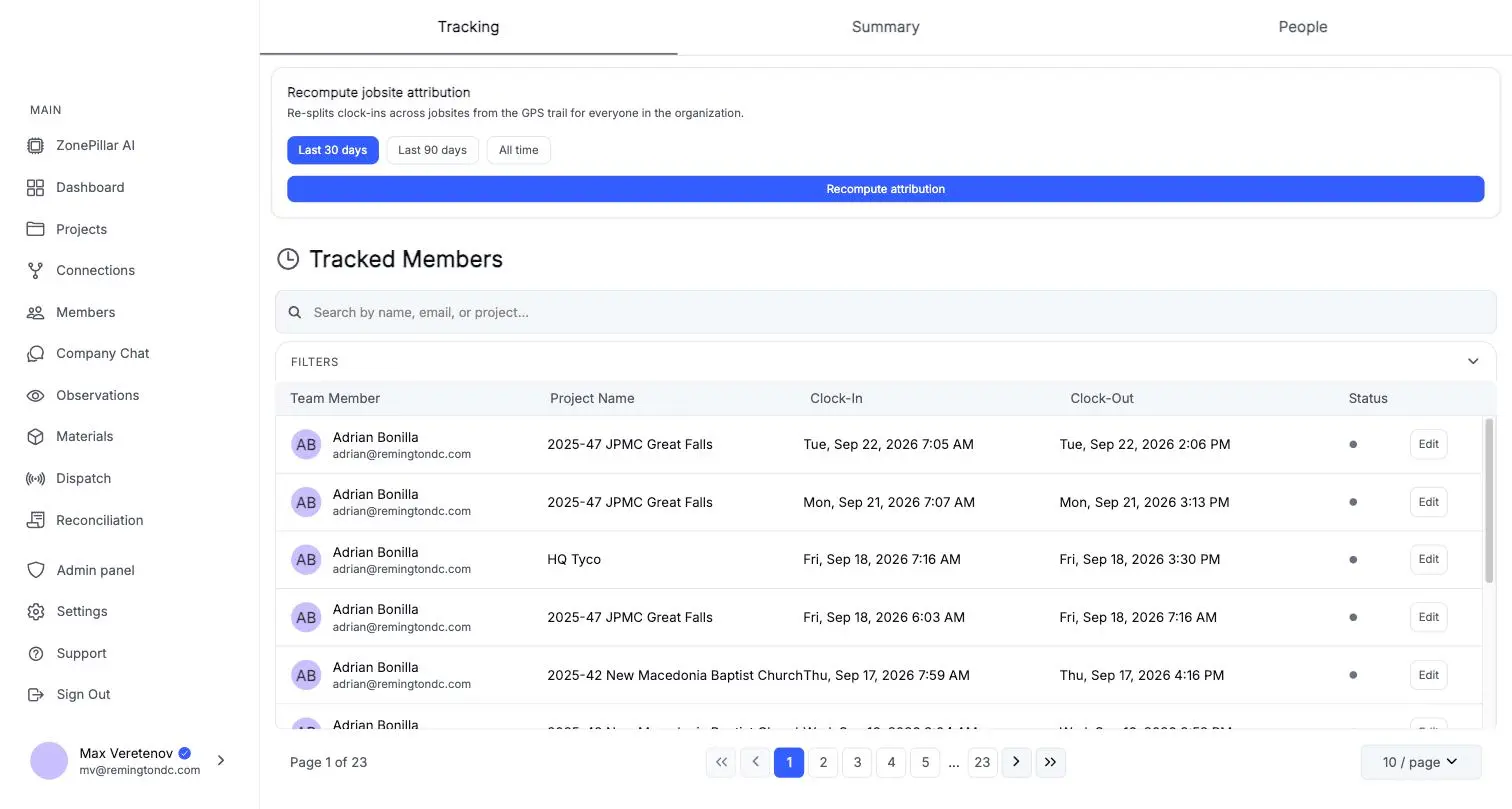
Workyard and ZonePillar both track crew time with GPS and jobsite geofences. ZonePillar puts that time next to the tasks, daily reports, documents and billing for the same job.

A Workyard alternative

Questions to ask any vendor, including us

Check these against your own jobs before you move. ZonePillar's answer to each is yes.

  • Does the time clock work offline and sync when the signal returns?
  • Can you require a photo before a task counts as complete?
  • Do the crew's hours become the pay run without retyping?
  • Does a signed work order become a change order that lands in the pay application?
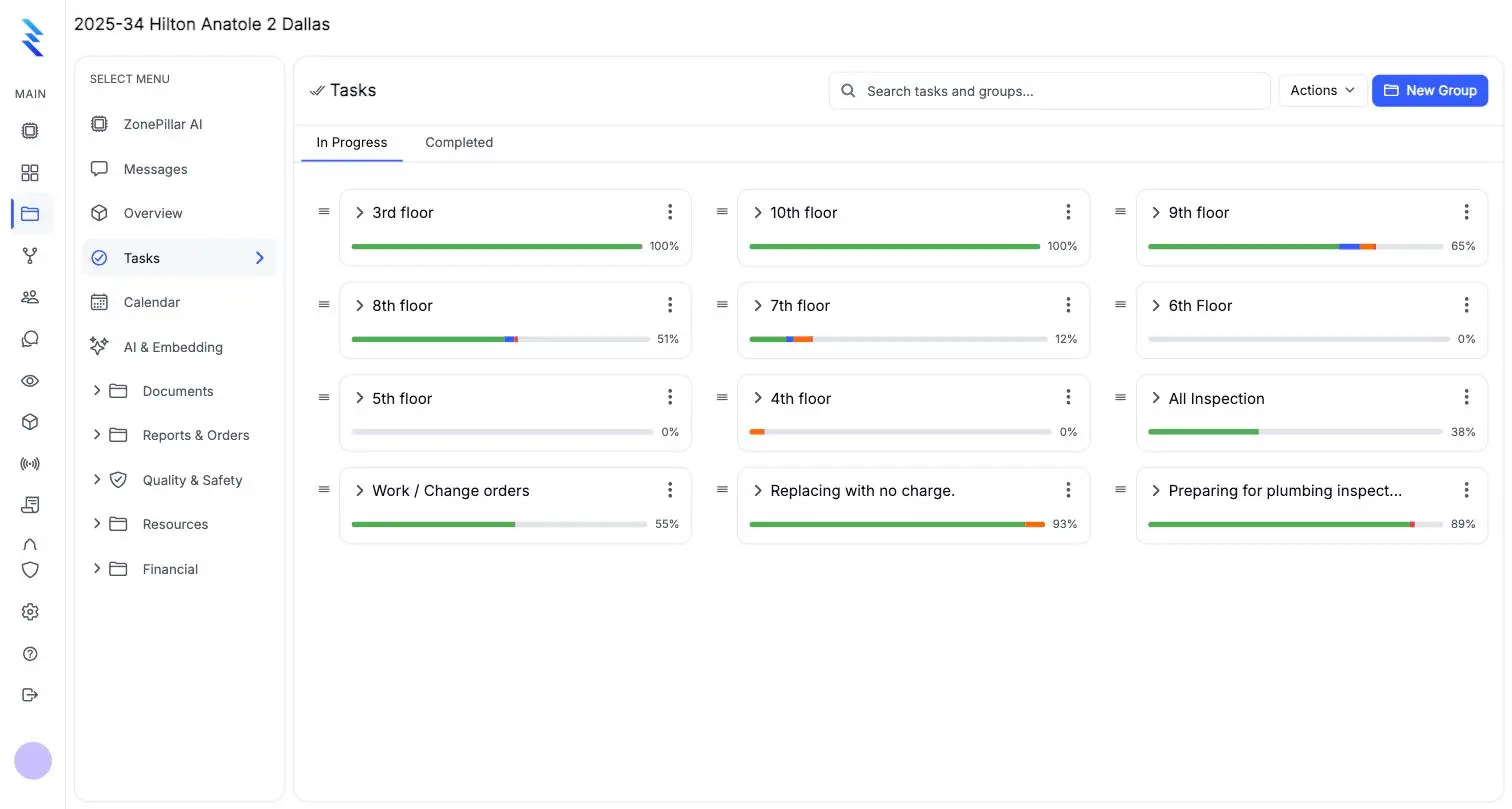
Task groups by floor with progress bars

From timecard to payroll

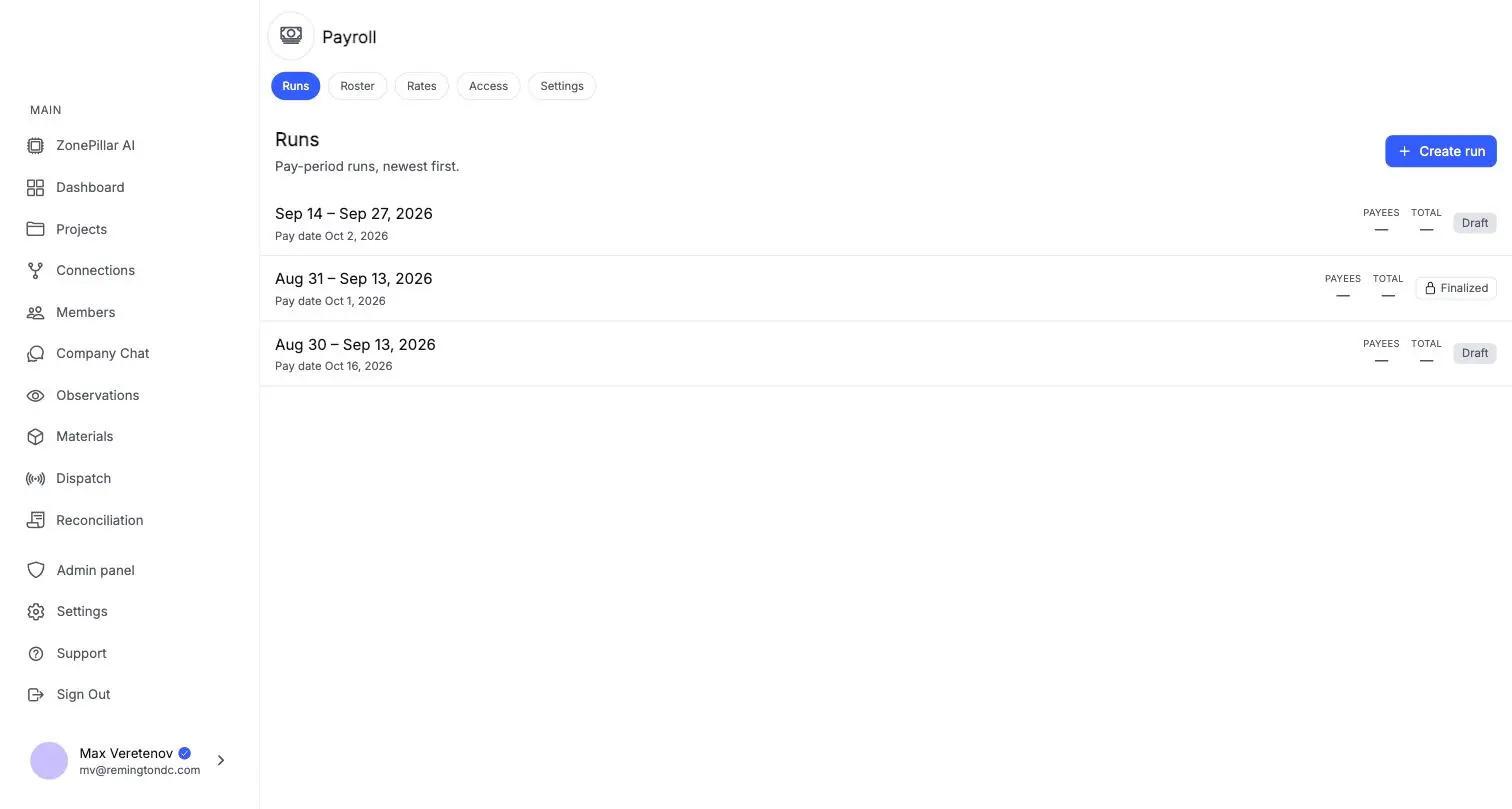
Review timecards by pay period, then build the pay run from the same hours.

  • Rates by person and project
  • A job-cost journal for your accounting
  • Payroll connection to your ADP account
Pay runs by pay period with draft and finalized states

Your GC sees what you choose

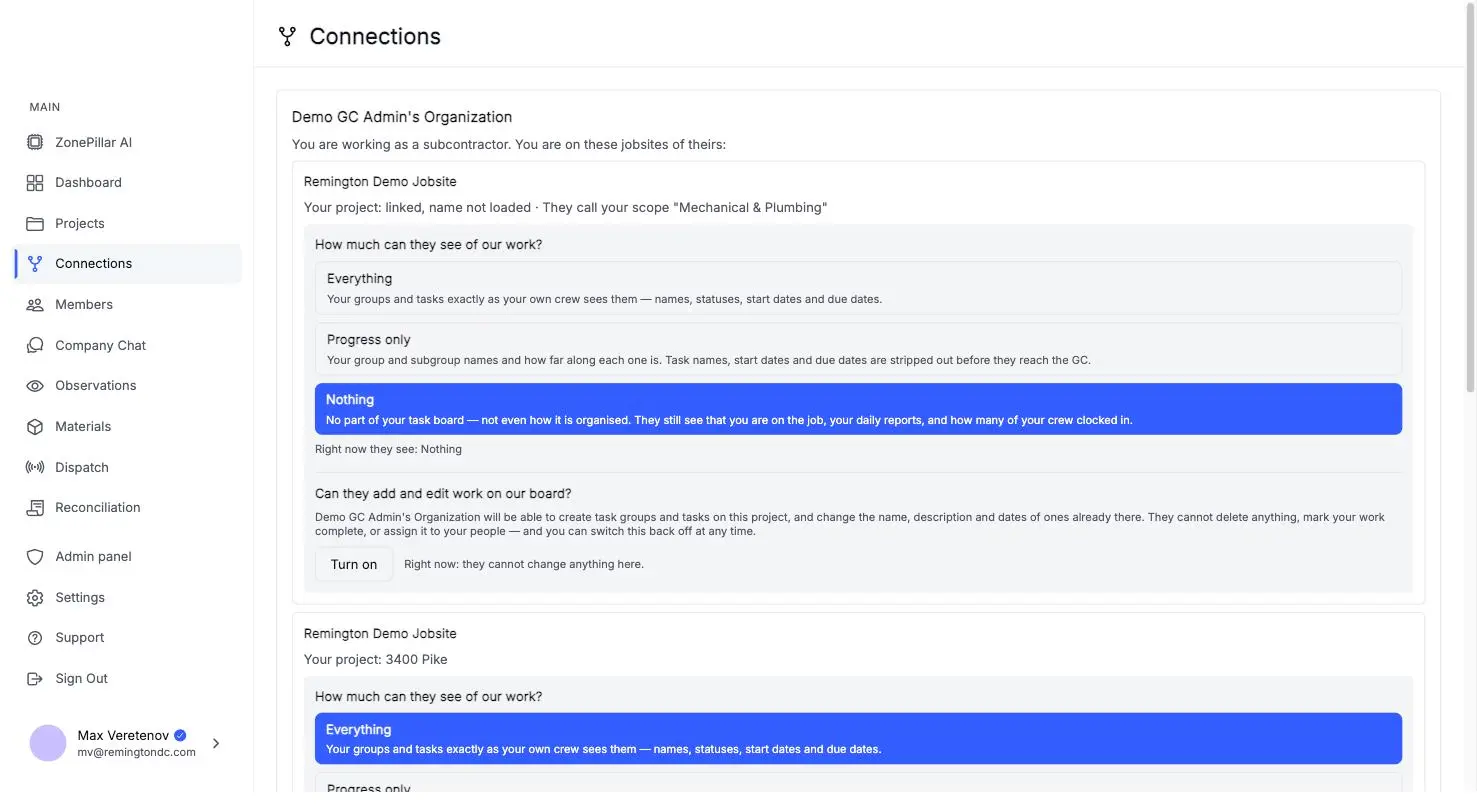
Link your project to your GC's jobsite and share everything, progress only, or nothing.

  • Daily report PDFs sent straight to your GC
  • RFI answers from the GC or their engineer land on your thread
  • Share by project and by level of detail
Connection settings showing how much of the task board a general contractor can see

See it on one of your own projects.

Bring a job you know well, its drawings, its crew and its paperwork, and see it in ZonePillar.

Ready to Transform Your Construction Management?

Book a walkthrough with our team. We set up your first project with you and train your crew to run it.

Copyright © 2026 ZonePillar, All Rights Reserved