Submittal software

Submittals submitted, reviewed and revised in one register.

Submit shop drawings, product data and samples, log each review response, and keep every revision. Field staff see the approved version only, and the log exports as PDF, Excel or CSV.

Submittal software
What is a submittal in construction?
A submittal is a package a contractor sends for review before buying or installing something: shop drawings, product data sheets, samples or mock-ups. It usually goes from the subcontractor through the general contractor to the architect or engineer, who confirms it matches the design.
What are the submittal review responses?
Reviewers typically answer Approved, Approved as Noted, Revise and Resubmit, or Rejected. ZonePillar logs each of these responses against the submittal and keeps every revision.
What is a submittal log?
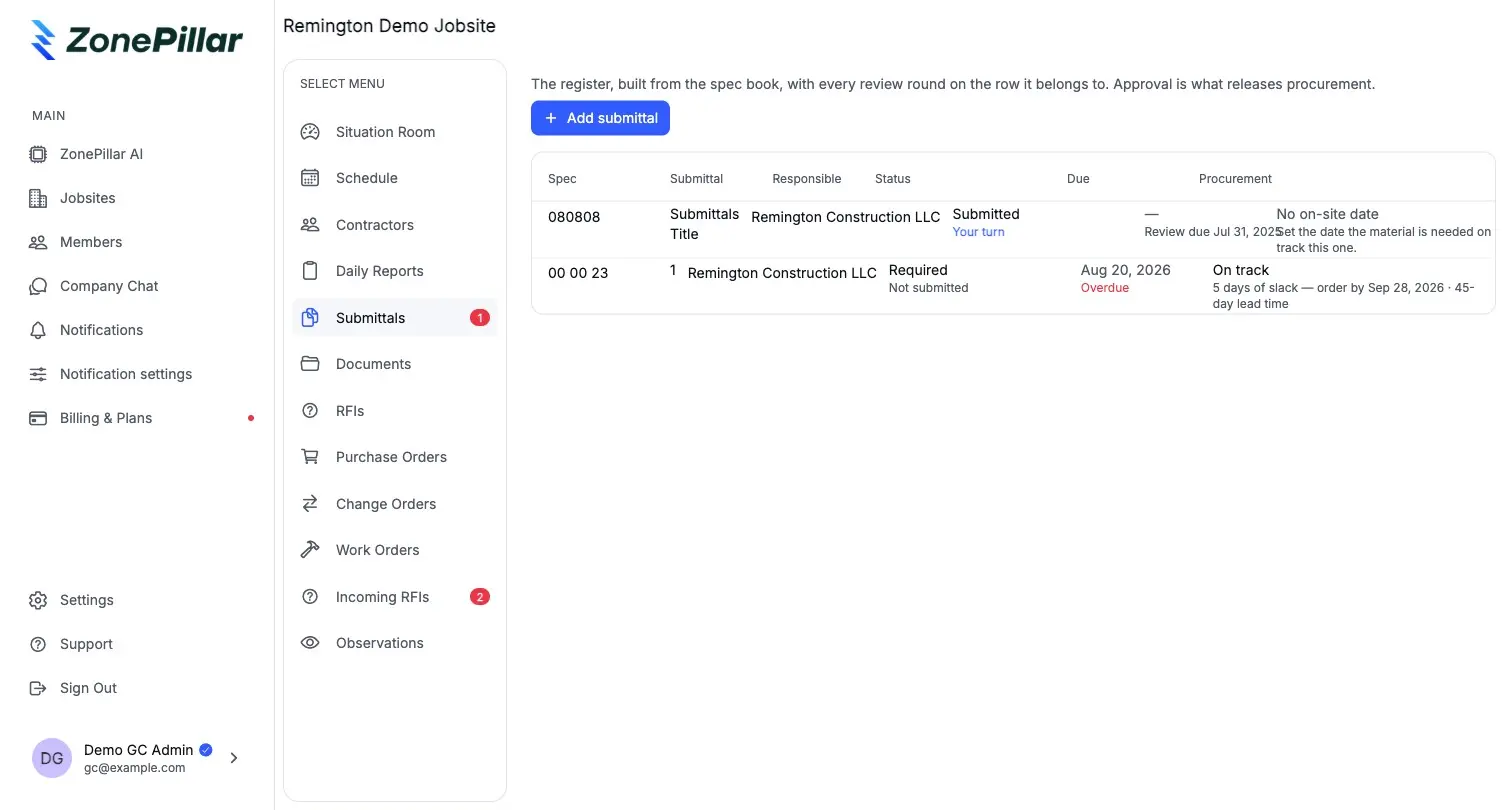
A submittal log, or register, lists every submittal on a project with its status, so everyone can see what is still waiting on review. In ZonePillar the log exports as PDF, Excel or CSV, and a general contractor's register shows what is holding up procurement.
Who sees a submittal in ZonePillar?
The office sees every revision and response. Field staff see approved submittals only, so the crew builds from the version that was signed off.

A register that shows what is blocking procurement

General contractors see which submittals are holding up buying and who has the ball.

  • Review responses: Approved, Approved as Noted, Revise and Resubmit, Rejected
  • Engineering firms review the items routed to them and respond with their stamp
  • Every exchange is a tracked thread

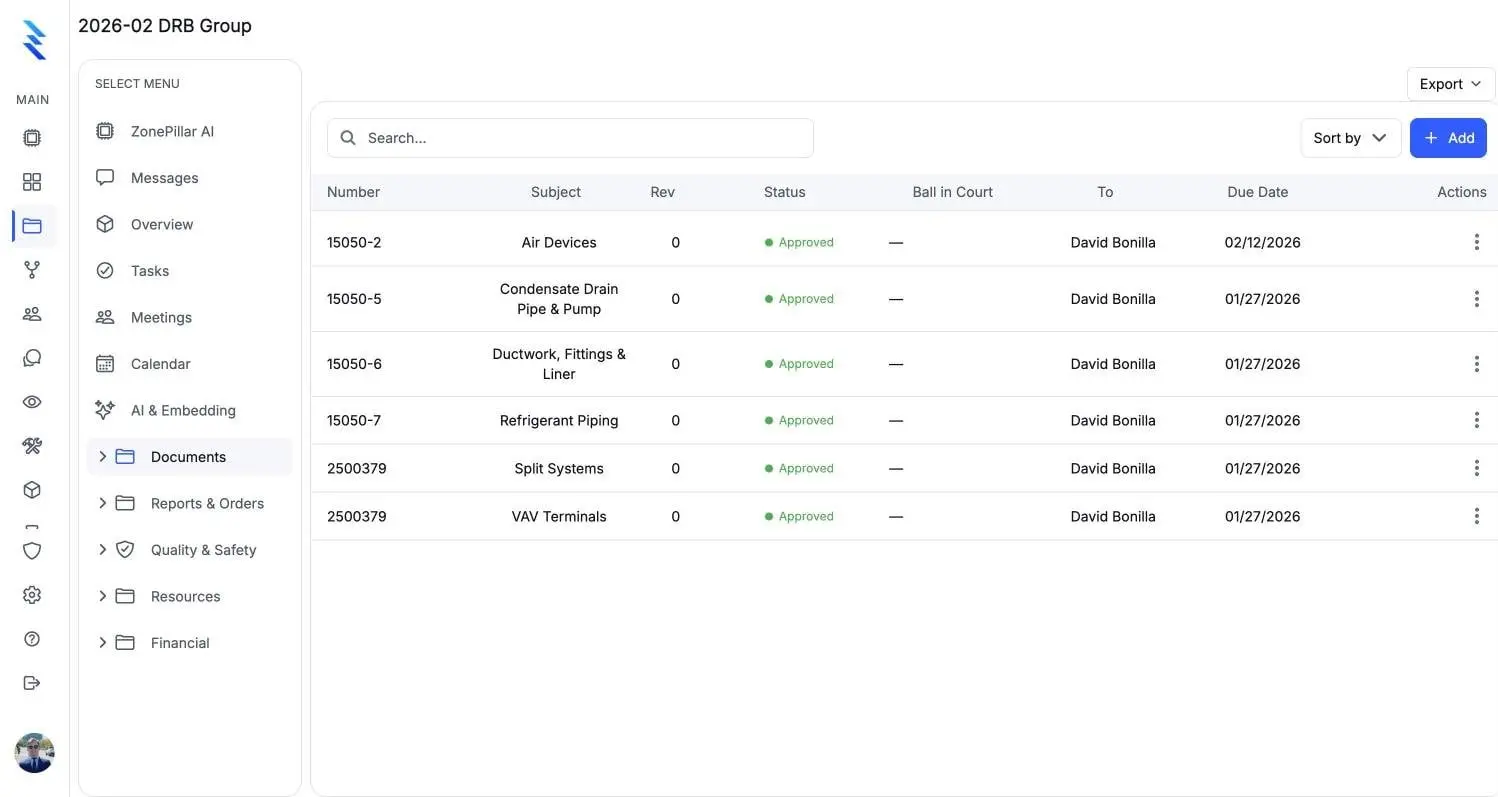
A project's submittals with spec numbers, revisions and approved status

Ready to send

Print any submittal as a branded PDF with its attachments, and export the whole log.

  • Branded PDFs with attachments
  • Submittal logs as PDF, Excel or CSV
  • Bring submittals across from Procore
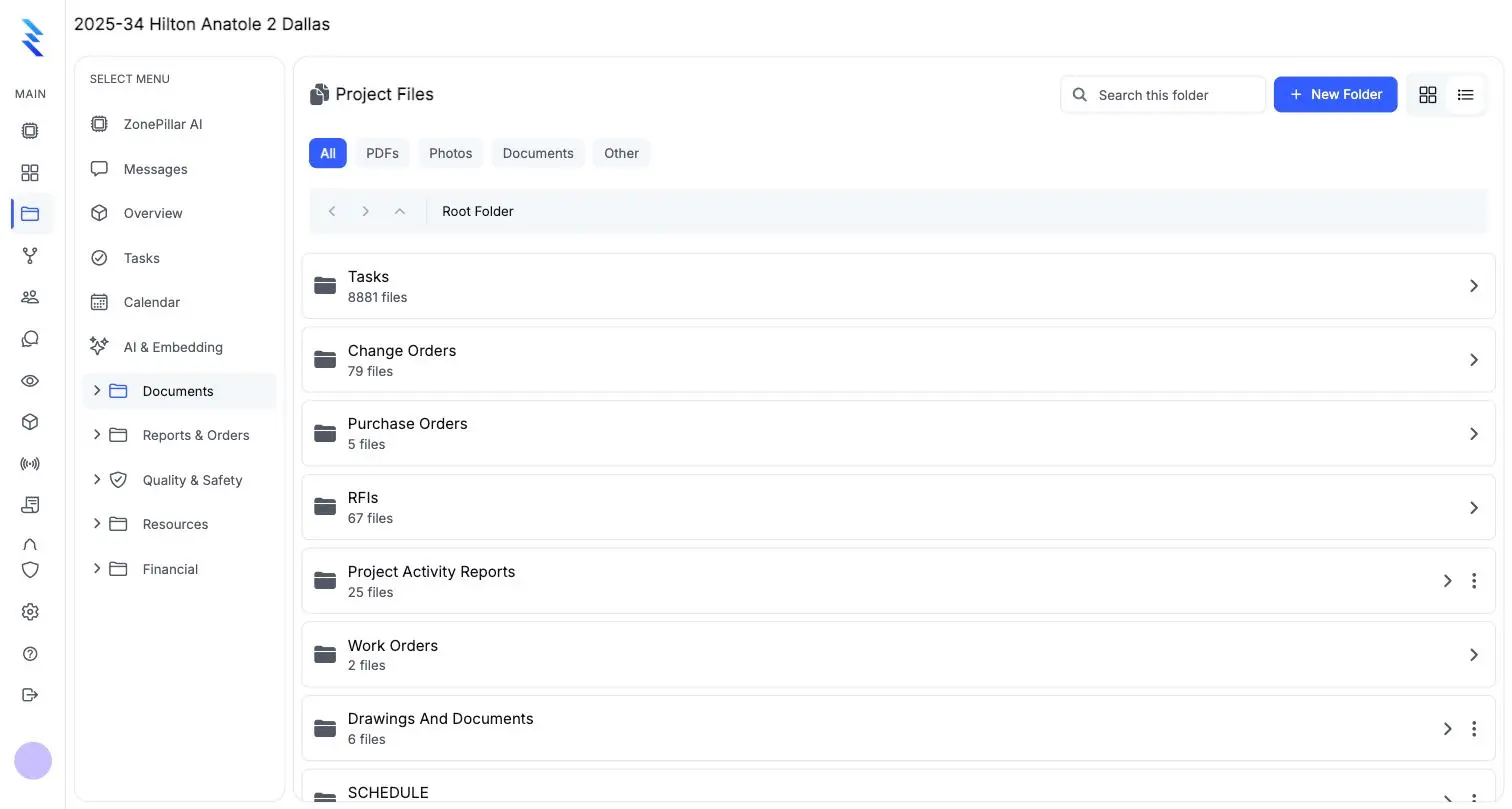
Project files organized in folders by record type

Ask about any submittal

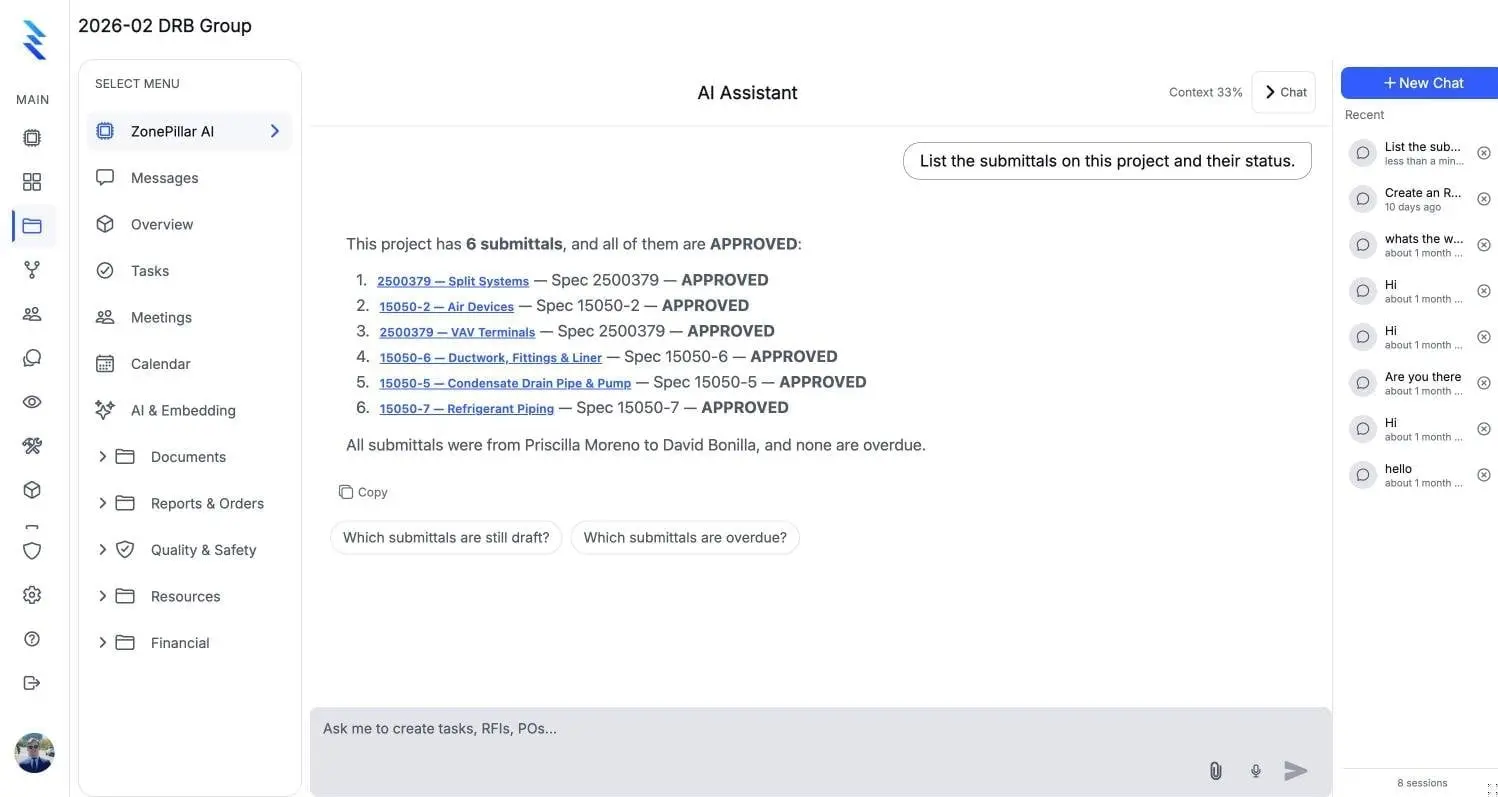
ZonePillar AI lists submittals and their status, and can draft a new one for you to approve.

  • "List the submittals and their status."
  • Answers link back to the records they came from
  • Nothing is saved until a person approves it
ZonePillar AI listing a project's submittals and their status, each linked to its record

See it on one of your own projects.

Bring a job you know well, its drawings, its crew and its paperwork, and see it in ZonePillar.

Ready to Transform Your Construction Management?

Book a walkthrough with our team. We set up your first project with you and train your crew to run it.

Copyright © 2026 ZonePillar, All Rights Reserved